
Why TimeClockPro
Everything You Need, Nothing You Don't
Built from the ground up for hourly workers — not managers, not enterprises. Just you and your hours.
Simple Clock In/Out
Easily start and end shifts with one tap. Track meal and rest breaks accurately so your totals are always right.
Smart Breaks & Overtime
Configure automatic meal breaks and complex overtime rules. Whether you're paid daily, weekly or by consecutive days, we've got you covered.
Multiple Jobs & Rates
Switch between jobs and tasks seamlessly. Set different pay rates and keep your earnings organised by role.
Insights & Export
See weekly summaries and detailed reports. Export your data to CSV when you need to invoice or reconcile your hours.
Pricing
Start Free. Upgrade When Ready.
No subscriptions required to get started. Upgrade to Pro when you need the full power.
Pro
$4.99/mo
- Multiple jobs & rates
- Advanced overtime rules
- Unlimited history
- CSV export & reporting
App Preview
See TimeClockPro in Action
A quick look at what makes TimeClockPro the perfect time tracking companion.
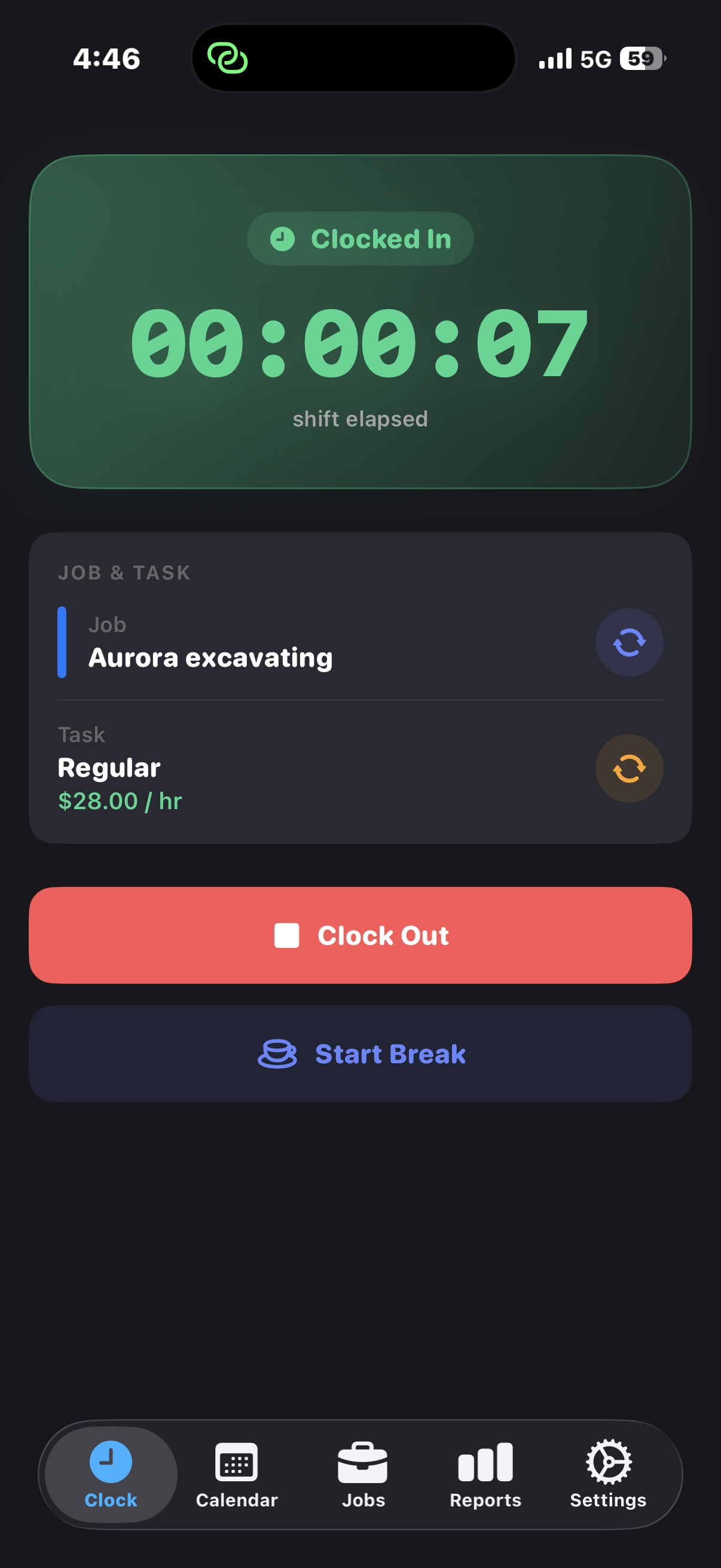
Clock In/Out
One tap to start your shift. Live timer tracks every second.
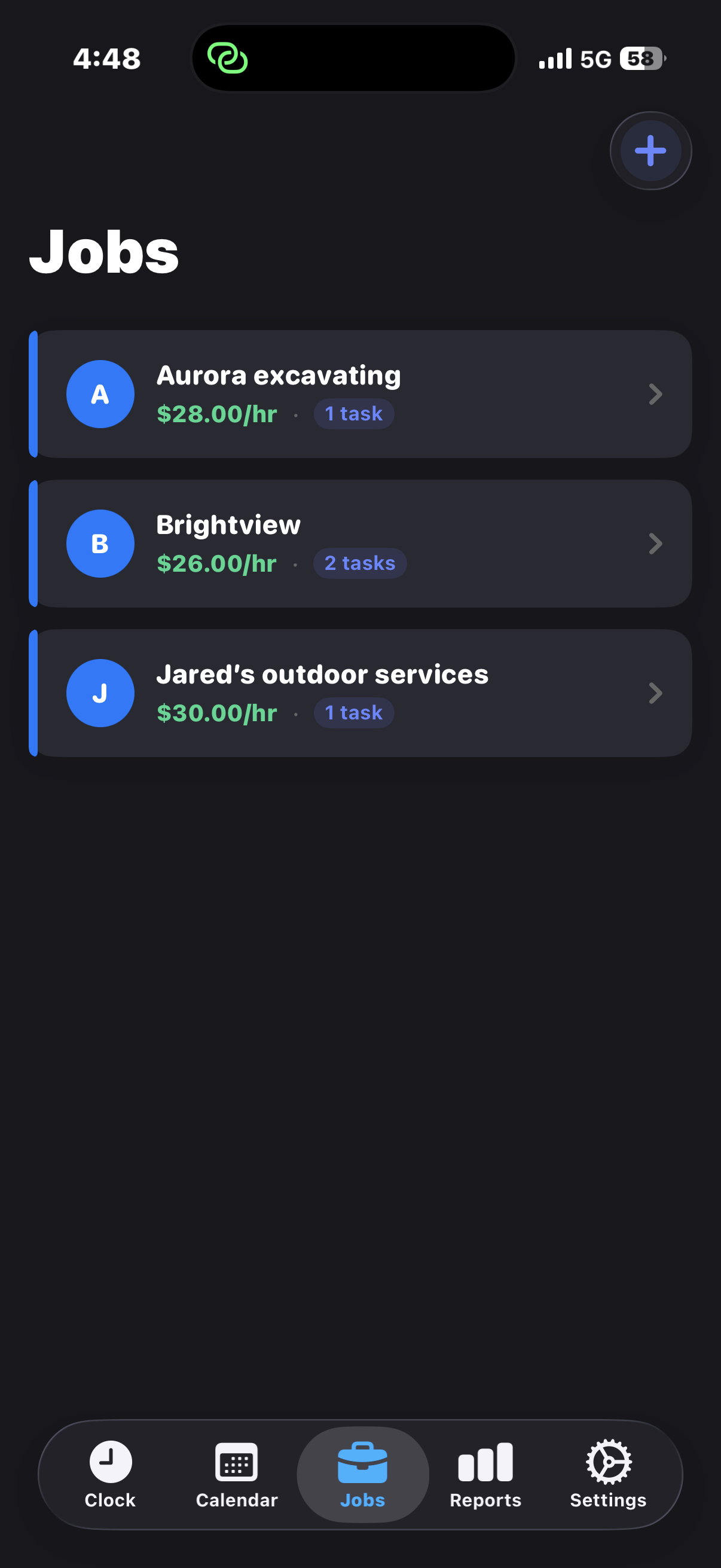
Manage Your Jobs
Set rates and tasks for each job. Switch between them in seconds.
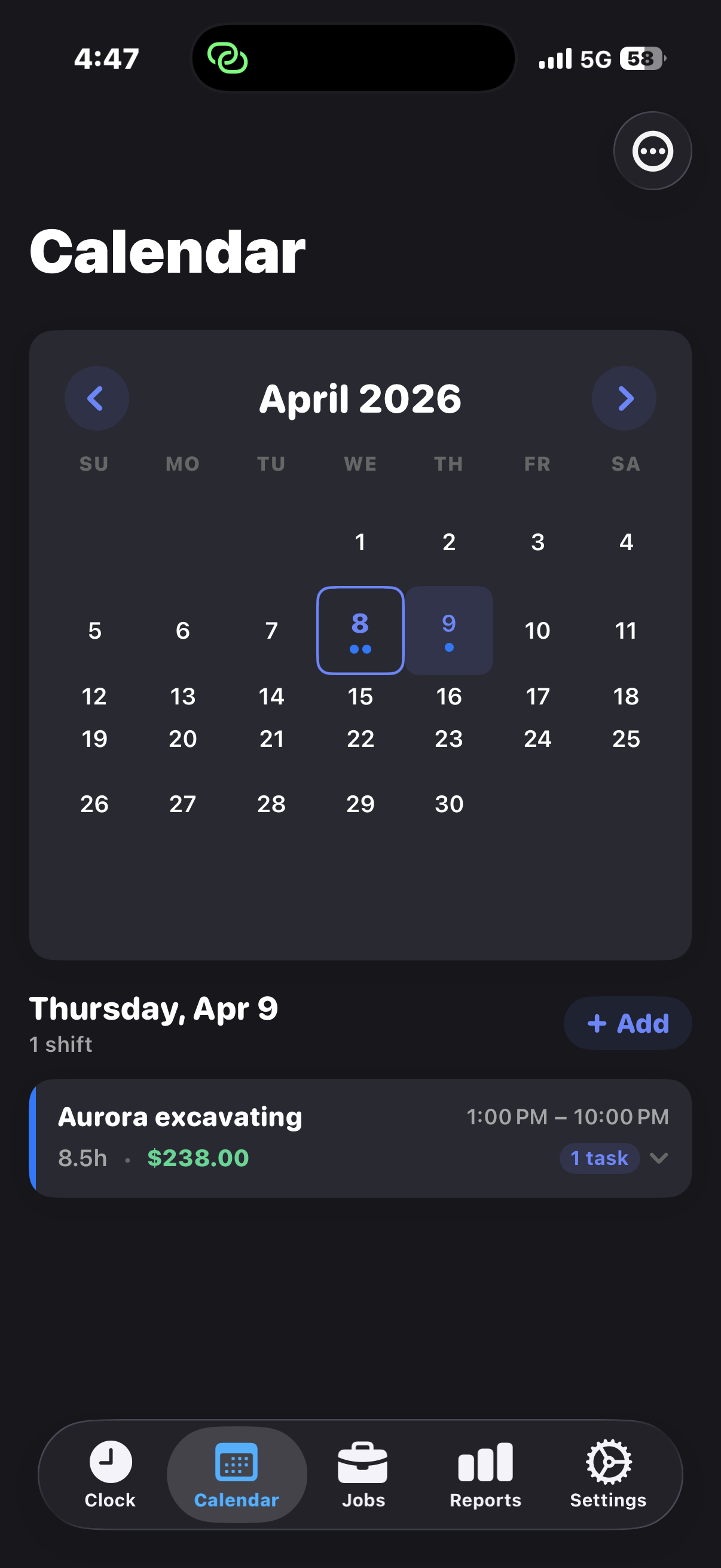
Shift History
Browse all your past shifts by day. Every hour accounted for.
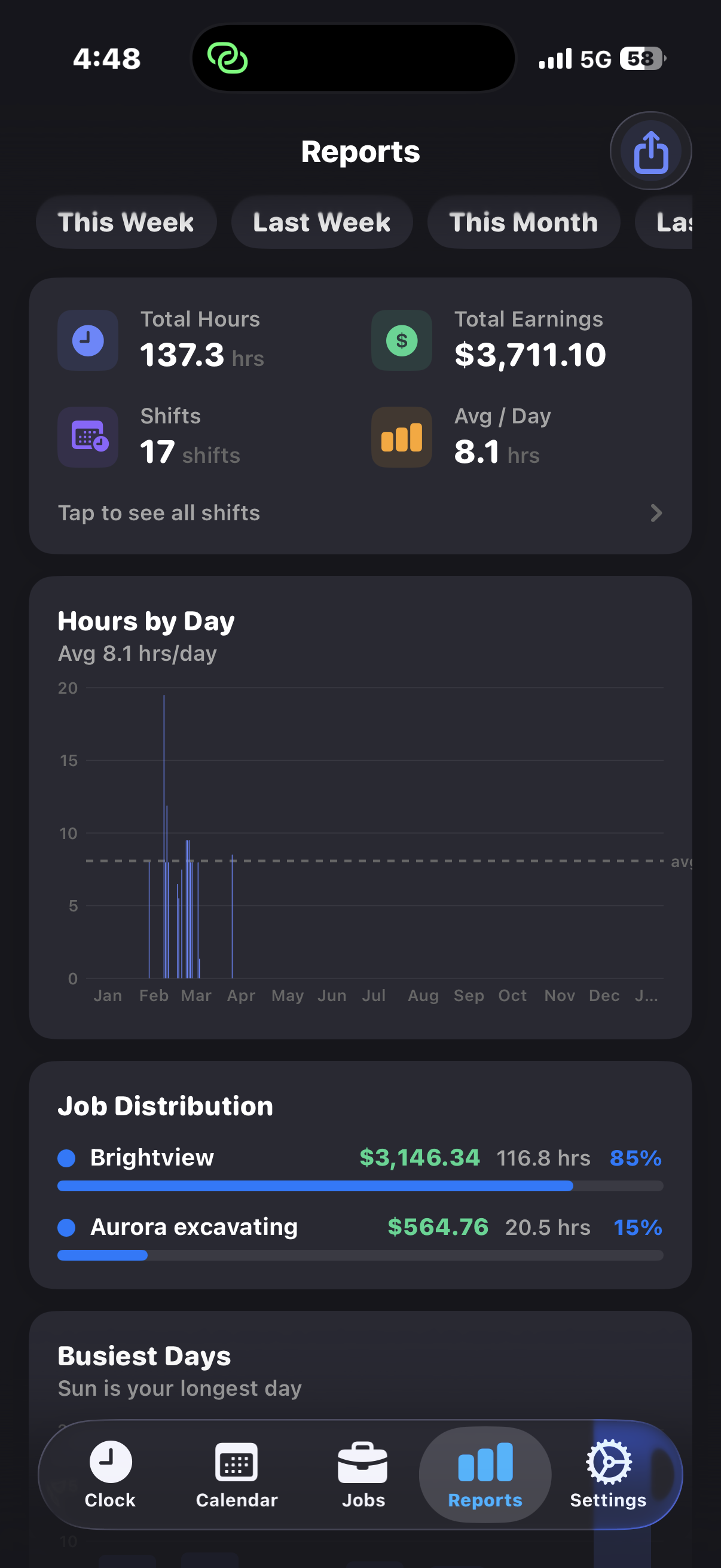
Earnings & Insights
Total pay, hours by day, and job distribution at a glance.
Early Access
Be the First to Know
Join our waitlist and get early access when we launch on iOS in 2026.
FAQ
Frequently Asked Questions
Yes! You can start with our free plan which includes basic time tracking for one job. Upgrade to Pro for advanced features like multiple jobs, overtime rules and reports.
TimeClockPro is launching in 2026 for iOS devices. Join our waitlist above to get notified when we're ready for download.
We're launching on iOS first, with support for iPhone and iPad. A web dashboard and Android version are planned for future updates.
No account is required for personal use. All your data stays on your device. If you choose to sync your data across devices or upgrade to Business for team features, you can sign in for cloud backup.
Our engine supports daily, weekly and consecutive-day overtime rules. You can choose from common presets (like California or Federal rules) or customize your own thresholds and multipliers.
Yes! Pro users can export their time tracking data to CSV format for easy import into payroll systems or spreadsheets.